
Chapter 5: Make your component extensible
WARNING
Single File Component (SFC) support for Administration extensions is experimental. It is available since Shopware 6.7.16.0. The APIs described on this page can still change without a deprecation. Try it out and tell us what you find, but do not ship an extension built on it to customers or to the Shopware Store until the API is declared stable (planned for 6.9).
Your component works. Now make it extensible the way the core page was in Chapter 2, so other extensions can change it without forking it.
There are two halves to that, and you have already met both from the other side.
Open the markup with <sw-block name>
<sw-block name="…"> declares an extension point. Whatever it wraps is the default content, and it renders exactly as before until somebody extends it:
<template>
    <div class="swag-margin-hint">
        <sw-block name="swag_margin_hint_banner">
            <mt-banner
                :variant="isTooLow ? 'critical' : 'positive'"
                :title="title"
            >
                {{ message }}
            </mt-banner>
        </sw-block>
    </div>
</template>
The <script setup> block is unchanged.
Name it after the component and the spot. The convention is a prefix identifying the owner, then the path through the component, in snake_case - core uses sw_, so swag_margin_hint_banner for a plugin block reads unambiguously next to it. Block names must be unique per component.
Treat your block names the way core treats its own: every extension that targets a block depends on its name, so renaming the block breaks them.
Reference: sw-block.
Open the state with swDefinePublic
Nothing new to do here: you already declared the public state in Chapter 4:
swDefinePublic({
    margin,
    isTooLow,
    title,
    message,
});
As a reminder of how the two halves fit together: sw-block lets an extension add markup, and swDefinePublic lets it override the component's state.
Try it out on your own component
The quickest way to see what you just built is to extend it yourself. Write a second override - against your own component this time - that extends the message and adds a line of advice:
<!-- <plugin root>/src/Resources/app/administration/src/override-demo/swag-margin-hint.override.vue -->
<template>
    <sw-block extends="swag_margin_hint_banner">
        <sw-block-parent />

        <p class="swag-margin-hint__tip">
            {{ $t('swag-margin.hint.tip') }}
        </p>
    </sw-block>
</template>

<script setup lang="ts">
import { computed } from 'vue';
import { useTranslateWithFallback } from 'shopware:composables';

const previousState = useSwPreviousState();
const { tWithFallback } = useTranslateWithFallback();

const message = computed(() => `${previousState.message.value} ${tWithFallback('swag-margin.hint.checkConditions')}`);

swDefineOverride({
    message,
});
</script>
Both strings are snippets, the same way Chapter 4 did it - $t() in the template, tWithFallback() in the script. Add the two keys under swag-margin.hint in component/snippet/en-GB.json, next to the four from Chapter 4:
{
    "swag-margin": {
        "hint": {
            "tip": "Tip: raise the price or renegotiate the purchase price.",
            "checkConditions": "Check your purchasing conditions."
        }
    }
}
And the German pair in component/snippet/de-DE.json:
{
    "swag-margin": {
        "hint": {
            "tip": "Tipp: Erhöhe den Preis oder verhandle den Einkaufspreis neu.",
            "checkConditions": "Prüfe deine Einkaufskonditionen."
        }
    }
}
A separate snippet/ directory next to this override works as well, because Shopware merges every snippet file it finds under your Administration source directory.
As in Chapter 4, run shopware-cli project console cache:clear before you reload, or the banner shows the bare keys.
This is the first time swDefineOverride is given something. Every name in it replaces the binding of that name in the component being overridden - a computed, a ref or a function alike. So message here wins over the message your component computed, and previousState.message.value is that original, which is how the override builds on it instead of throwing it away.
The one thing you cannot override is a prop: it comes from whoever renders the component, so listing a prop name in swDefineOverride() has no effect - the entry is skipped with a console error. To change warnBelow, pass a different value where the component is rendered.
Where the file sits
Anywhere under your Administration source directory. override-demo/ only keeps this experiment visibly separate from the override that does the real work. The one constraint is that the filename is the whole identity, so two overrides of the same component need two directories.
Checkpoint
Reload the product:
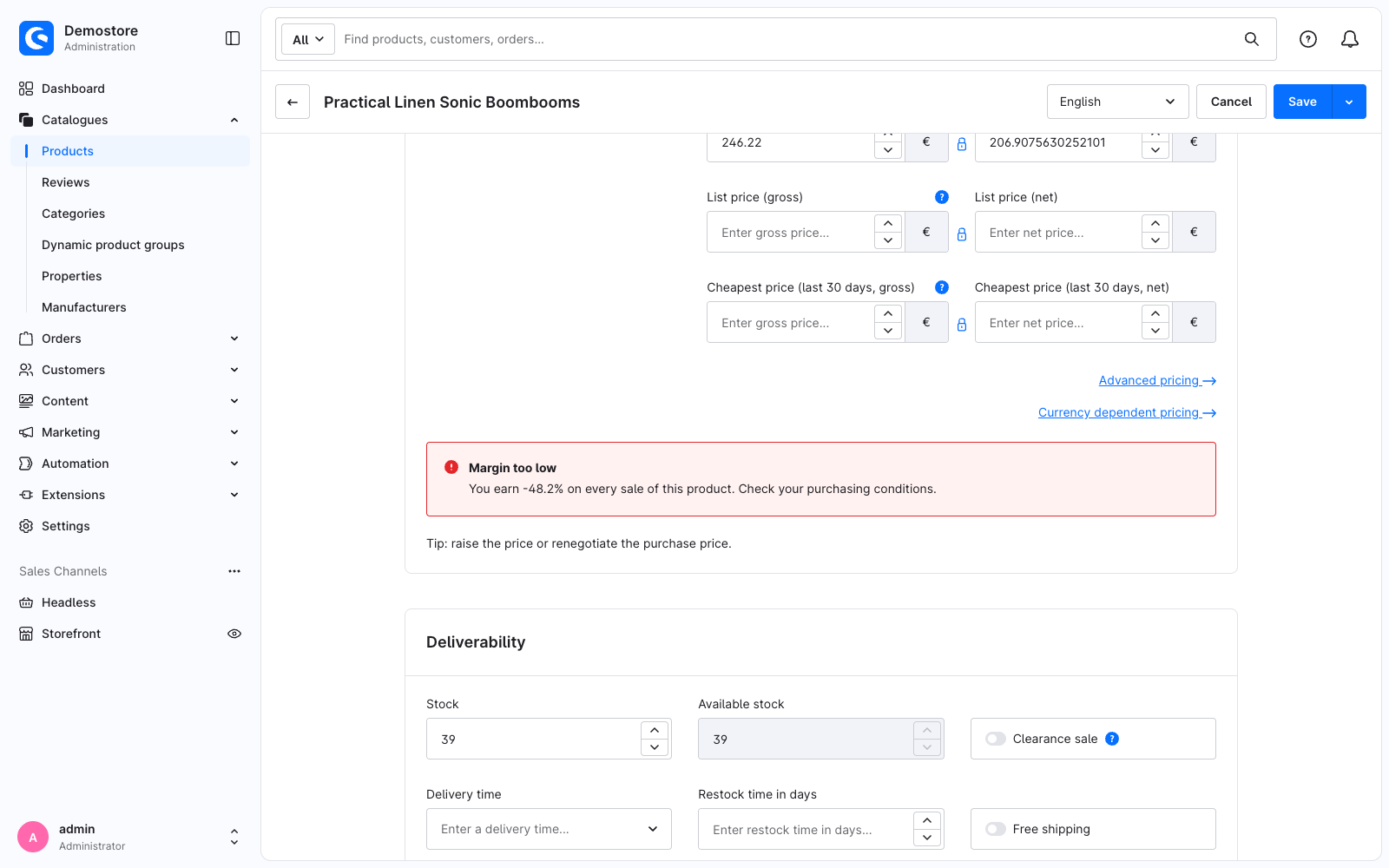
Four files contribute to what is on screen: a core Twig component providing the price card, your override placing the banner in it, your component providing the banner, and a second override changing the banner's text and adding a line under it. None of them knows the others exist, because each one declares a block or a public API instead of editing another component directly.
What this replaces
The mapping is close to one to one:
this.$super('message')becomespreviousState.message.value{% parent %}becomes<sw-block-parent />- the
computedblock of the override config becomes the object you pass toswDefineOverride $tc()becomes$t()in the template, andthis.$tc()becomestWithFallback()in the script - the snippet files themselves are identical
Done
You have written every kind of file the system has:
- an override that contributes markup to a component you do not own,
- an override that reads that component's state,
- a component of your own, with props and state,
- and an override of your component, driven by the extension points you chose to declare.
When something breaks, start at the troubleshooting page.
